Published on
September 3, 2026

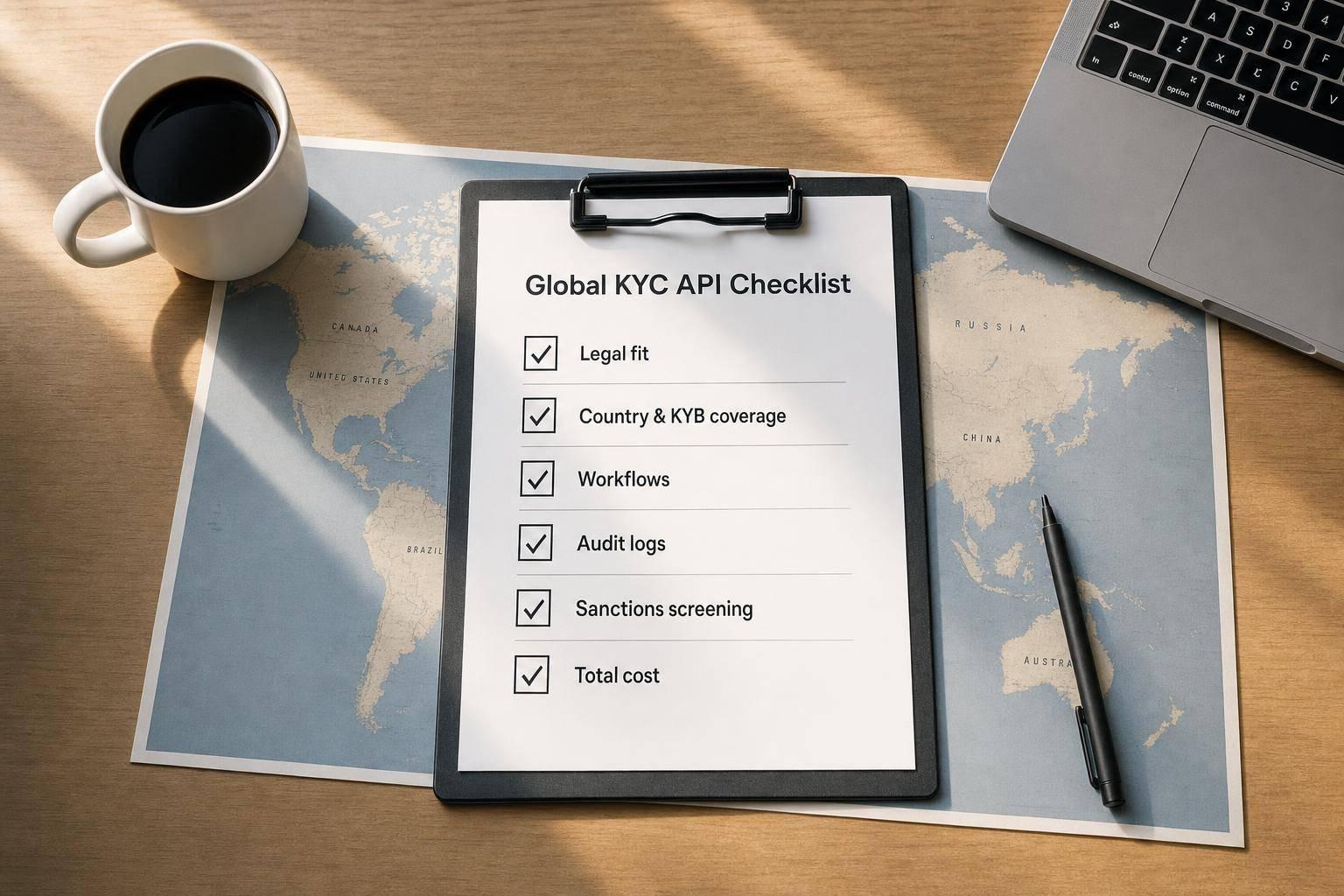
Pick your KYC API like a control decision, not a software buy. I’d approve a vendor only after I check four things: legal terms, country and risk coverage, workflow and audit records, and total cost. That matters because manual corporate KYC can run up to $25,000 per client and take 34 weeks, while regulators have kept pressure high with a 69% year-over-year jump in U.S. penalties tied mostly to AML/CFT failures.
Here’s the short version of what I’d review before signing:
If I had to sum it up in one line: set my must-haves first, then test each vendor against risk, process, and cost.
Quick comparison
| Review area | What I’d confirm | Why it matters |
|---|---|---|
| Legal and privacy | DPA, SCCs, residency, breach timing, contract terms | Cuts contract and data-transfer risk |
| Coverage and screening | Countries, docs, KYB, UBO, sanctions, PEP | Stops onboarding gaps |
| Workflow and records | Webhooks, manual review, audit logs, retention | Helps with reviews, disputes, and exams |
| Budget and exit | Unit cost, minimums, setup, overages, migration | Shows the real program cost |
Below, I’d use this checklist to screen vendors in a simple, usable way.
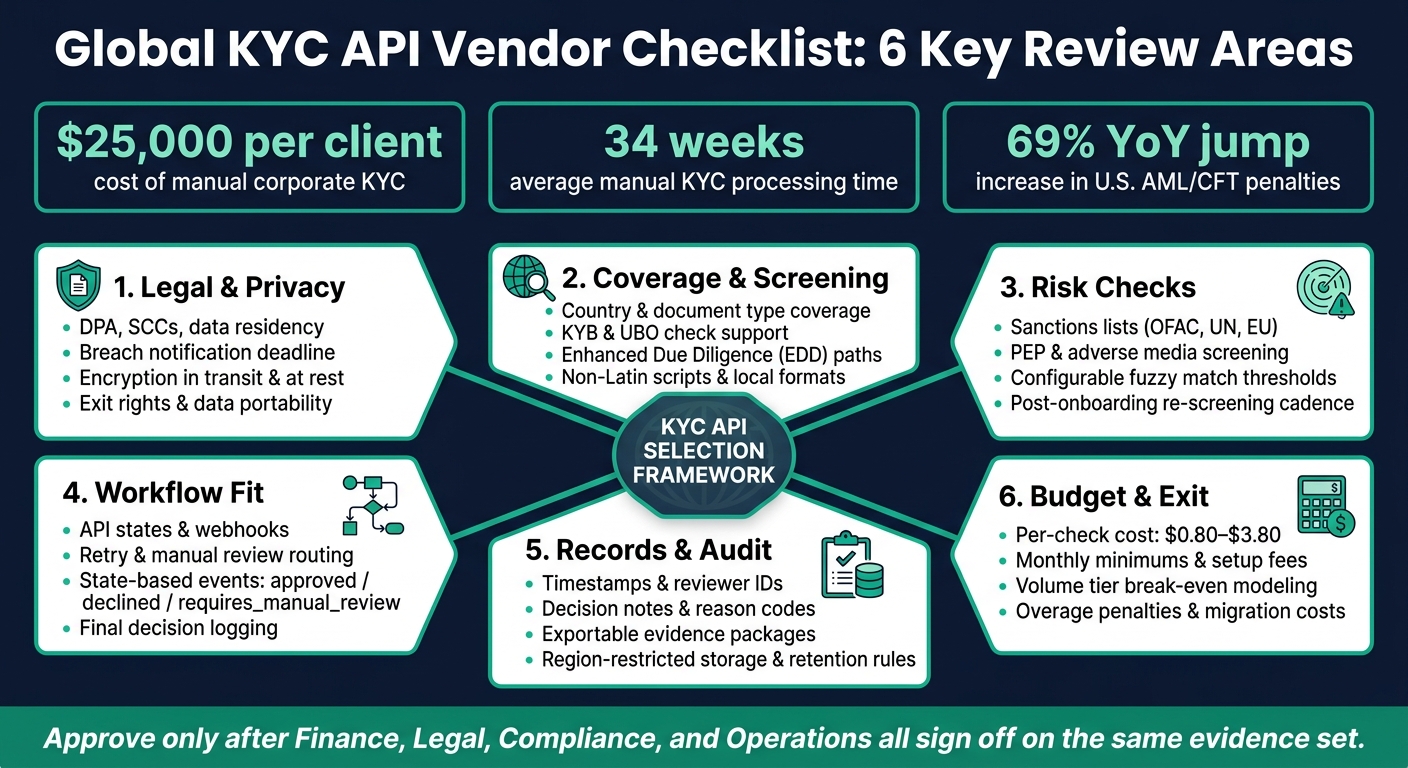
KYC API Vendor Evaluation: 6-Area Checklist for Finance Teams
Use legal review to clear regulatory fit, data transfer, and contract risk before commercial approval. Check each item below before you approve any vendor.
First, make sure the vendor supports AML, PEP, and monitoring rules in every market you serve. A global KYC vendor has to line up with the rules in each jurisdiction you operate in. After that, check how the vendor stores, processes, and transfers KYC data.
Review AML screening, PEP checks, and ongoing monitoring in a single DPA. That DPA should include a current subprocessor list and Standard Contractual Clauses (SCCs) for any cross-border data transfers. If the vendor stores or processes data outside your target jurisdictions, review the data residency terms and make sure they match local regulations in those markets.
Also, get a fixed breach-notification deadline in writing. Don't leave that vague.
Treat SLA terms as binding controls, not marketing copy. Uptime promises may look fine on paper, but they need to hold up during peak onboarding volume. You should also confirm what the vendor's incident response obligation actually requires.
The contract should spell out exit rights, data portability, retention minimums, and audit-record delivery. If those points are fuzzy now, they'll become a problem later.
Require written proof of encryption in transit and at rest.
Track legal sign-off in the checklist below.
| Item | Status | Evidence Required | Internal Owner |
|---|---|---|---|
| AML screening, PEP checks, and ongoing monitoring covered in the DPA | ☐ | Signed DPA | Legal / Compliance |
| Subprocessor list and SCCs received | ☐ | SCC annex | Legal |
| Data residency terms reviewed | ☐ | Contract clause | Legal / Engineering |
| Breach notification deadline confirmed | ☐ | Contract clause | Legal |
| Uptime SLA validated | ☐ | SLA schedule | Finance / Engineering |
| Incident response obligation reviewed | ☐ | Contract clause | Security / Legal |
| Termination and transition rights confirmed | ☐ | Contract clause | Legal |
| Full compliance history and customer data retrievable on exit | ☐ | Vendor docs | Compliance |
| Encryption in transit and at rest verified | ☐ | Security docs | Engineering |
| Exit rights, data portability, retention minimums, and audit-record delivery defined | ☐ | Contract clause | Compliance / Legal |
Once legal and contract terms are signed off, move to country coverage, sanctions screening, and monitoring rules.
Coverage claims sound good on a sales call. But they only matter if the API supports your document types, your customer mix, and your risk workflow.
After legal review is done, the next step is simple: check whether the API fits the markets and risk cases you actually handle. This checklist helps you confirm the API can support live onboarding, not just a polished demo. If even one document type is missing, or one screening rule falls short, you can end up with blocked onboarding or compliance holes.
Start with your current countries, then add the markets you plan to enter soon. Compare that list with the vendor’s documented coverage. Don’t stop at the happy path. Test the awkward cases too, like expired passports, IDs written in non-Latin scripts, and local document formats that often trip up verification tools.
If your company onboards business customers, KYB support is a must. You need to confirm that the API can handle UBO lookups and corporate registry checks, not just individual identity verification.
The same goes for higher-risk users. That includes high-volume transactors, users from higher-risk jurisdictions, and politically sensitive profiles. In those cases, confirm the API has a clear enhanced due diligence (EDD) workflow. A vague “manual review” bucket isn’t enough.
Onboarding checks are only the start. Sanctions lists, PEP status, and customer risk can change after account creation. Make sure the provider supports continuous monitoring and re-screening against updated sanctions and PEP lists. Also, get the list refresh cadence in writing.
Matching logic is one of the biggest areas where APIs vary. Some tools cast too wide a net and flood teams with false positives. Others are too loose. Look for configurable thresholds so you can balance fraud controls with user friction. For edge cases and false positives, human review still matters.
You should also require an operations dashboard for manual handling of sanctions and PEP alerts. Once the screening rules are set, look closely at how those alerts move through your onboarding flow and into your audit trail.
| Item | Status | Evidence Required | Internal Owner |
|---|---|---|---|
| Country coverage validated against current and expansion markets | ☐ | Vendor coverage docs | Compliance |
| Document types and languages confirmed for target jurisdictions | ☐ | Test matrix results | Engineering / Compliance |
| KYB and UBO check support confirmed | ☐ | Vendor docs | Legal / Compliance |
| EDD workflow documented for higher-risk users | ☐ | Vendor workflow docs | Compliance |
| Sanctions lists screened (OFAC, UN, EU) confirmed | ☐ | Vendor docs | Compliance |
| PEP and adverse media screening included | ☐ | Signed DPA / vendor docs | Legal / Compliance |
| Fuzzy matching thresholds configurable | ☐ | Technical docs | Engineering |
| Sanctions and PEP list refresh cadence confirmed in writing | ☐ | Contract clause | Compliance |
| Ongoing monitoring (post-onboarding re-screening) confirmed | ☐ | Vendor docs | Compliance |
| Manual remediation dashboard available for flagged alerts | ☐ | Product demo | Operations / Compliance |
Legal and coverage checks aren't enough. The API also needs to fit your onboarding flow and keep a record you can pull back at every step.
Test failure paths, manual review, and re-verification, not just clean approvals. Clean approvals are the easy part. What matters more is how the API deals with a retry, a manual escalation, or a declined check in the middle of the flow.
Ask for structured workflow objects, state-based webhooks, and clear routing to human review. Structured Workflow or Inquiry objects help you run multi-step logic and trigger re-verification based on risk thresholds or document expiration. They also make it easier to send a failed check into a human review queue without derailing onboarding.
You should also confirm webhooks for each state change, including approved, declined, and requires_manual_review. And check that the manual review dashboard shows workflow state clearly and includes a documented final decision.
Once you've mapped the flow, look at whether each decision leaves behind a full audit record.
Next, verify what the API records, where that data lives, and how long it stays there. For regulated finance teams, every verification event needs a complete, exportable audit trail. Those logs should support reconciliations, exception reviews, and regulator requests.
At a minimum, each verification event should log:
The audit trail should also keep user actions and rule changes so your team can look back at decisions later.
Confirm region-restricted storage, retention terms, and export rules. Your contract should spell out how long the vendor keeps data and what happens after that retention window ends.
| Workflow Step | API/Event | Retention Policy | Responsible Team |
|---|---|---|---|
| Initial Capture | inquiry.started |
Per jurisdiction and internal policy | Engineering / Product |
| Automated Check | verification.created |
Per jurisdiction and internal policy | Compliance |
| Manual Escalation | review.needed |
Per jurisdiction and internal policy | Compliance / Ops |
| Final Decision | inquiry.completed |
Per jurisdiction and internal policy | Finance / Legal |
| System Sync | webhook.sent |
Per jurisdiction and internal policy | Finance / IT |
Once workflow, logging, and storage controls are clear, you can price the implementation and retention impact.
Once controls are mapped, price the vendor against your full operating cost and your exit risk. That matters because sticker price can look cheap while the actual program ends up costing a lot more.
Model total cost of ownership, not just per-check price. Per-check price is only one part of the bill. You also need to account for monthly platform minimums, implementation fees, internal engineering hours, and overage penalties. In 2026, per-check pricing typically ranges from $0.80 to $3.80 [1]. Some vendors publish pay-per-verification pricing. Others charge only for successful verifications, which can work well if your user base has a high rate of incomplete or fraudulent attempts.
It helps to treat setup work like part of the product price, because in practice, it is. Budget for one-time fees and the time your own team will spend getting the system live. Volume tiers matter too. A higher commit can look risky at first, but if it drops your unit cost past a certain point, it may save money over time.
| Cost Factor | What to Model |
|---|---|
| Base Fee & Minimums | Monthly platform fee and any monthly minimums |
| Per-Check Cost | $0.80–$3.80 per check depending on check depth (IDV vs. IDV+AML) [1] |
| Implementation Budget | One-time setup fees and internal engineering hours [1] |
| Volume Tiers | Break-even point where a higher tier reduces unit cost |
| Contract Risk | Renewal terms, overage penalties, and data migration costs [1] |
Use that model to judge whether the vendor clears final review. If the math only works under perfect conditions, that’s a warning sign.
Approve only after finance, legal, compliance, and operations sign off on the required evidence.
Before signing, pressure-test the provider against the cases most likely to cause trouble: your hardest documents, liveness and deepfake detection tests, false-positive rate, manual-review workflow, and data-residency rules [1]. This is where weak spots show up. A vendor may look fine in a demo, then struggle the moment edge cases start piling up.
Operations also needs to sign off on workflow fit. In plain terms, the API's workflow states should map cleanly to your onboarding steps, and the manual review tooling should be usable day to day by the people who actually handle reviews.
Move forward only when finance, legal, compliance, and operations all approve the same evidence set.
Key red flags often start with blurry ownership.
If it’s not clear who owns controls, escalation, and day-to-day decision-making, SAR/CTR deadlines can slip and alert triage can turn into a mess. In plain English: when something goes wrong, no one knows who’s supposed to act first.
Another problem is weak audit and logging terms. That includes missing or hard-to-test requirements around access to logs, model logic, and independent testing rights. If you can’t review what the system did - or why it did it - you’re stuck taking the vendor’s word for it. That’s not a good place to be in a compliance setting.
Sanctions screening is another area where issues can hide in plain sight. Watch for stale or opaque data, especially when there’s no clear override rationale. If a hit is cleared or changed, there should be a documented reason behind it.
Security and data protection can also be soft spots. Red flags here include:
And then there’s the contract language around poor performance. If remediation steps are vague - or termination rights are hard to use when the vendor misses compliance standards - you may have very little room to respond when service quality drops.
Before signing, test the KYC API with sample cases that use real or synthetic accounts. Don’t rely on vendor documentation alone.
Run checks against known typologies, including:
The goal isn’t just to see whether the system throws an alert. You need to confirm it flags these cases with full context, produces audit logs your team can actually use, and supports model risk review, back-testing, and UAT.
Teams often look at the per-check rate and assume that’s the full price of a KYC API. It usually isn’t.
The total cost can also include setup, implementation, and training fees. On top of that, many vendors charge extra for things like manual review, enhanced screening, address matching, and KYB or UBO checks.
Pricing can get more complicated from there. Some providers set monthly minimums, increase rates at certain volume tiers, or charge for failed verifications. So even if your approval rate drops, your bill may not.
There are also costs that don’t show up right away, such as customer support, data exports, and security or audit-log storage fees. Contract terms matter too. Overage rates, auto-renewals, and usage limits can all change what you end up paying.